- peacefulqode
- October 17, 2026
- WP Theme
Kidvibe: The Kindergarten & Preschool WordPress Theme Built for Childcare Centers
For a parent, choosing a kindergarten or preschool is one of the most emotional decisions they’ll make — and these days it almost always starts with a Google search and a look at your website. Within seconds, they’re asking: Does this place feel safe? Warm? Professional? Is it easy to find what I need and get in touch?
If your website feels cold, cluttered, or outdated, parents move on to the next school on the list. A well-built kindergarten WordPress theme fixes that first impression and turns visitors into enquiries, tour bookings, and admissions.
What Parents Look for on a Preschool Website
Before you pick a theme, it helps to know what visitors are actually scanning for:
- A warm, trustworthy first impression. Bright, friendly design that feels child-centered without looking childish or chaotic.
- Clear information about programs. Age groups, daily schedules, curriculum, and what makes your approach different.
- Proof of quality. Teacher profiles, photos of real classrooms, parent testimonials, and safety information.
- An easy way to act. A visible contact form, admission enquiry, or “book a tour” button on every key page.
- A great experience on mobile. Most parents browse on their phones — often late at night or between school runs.
Meet Kidvibe: A WordPress Theme Made for Kindergartens and Preschools
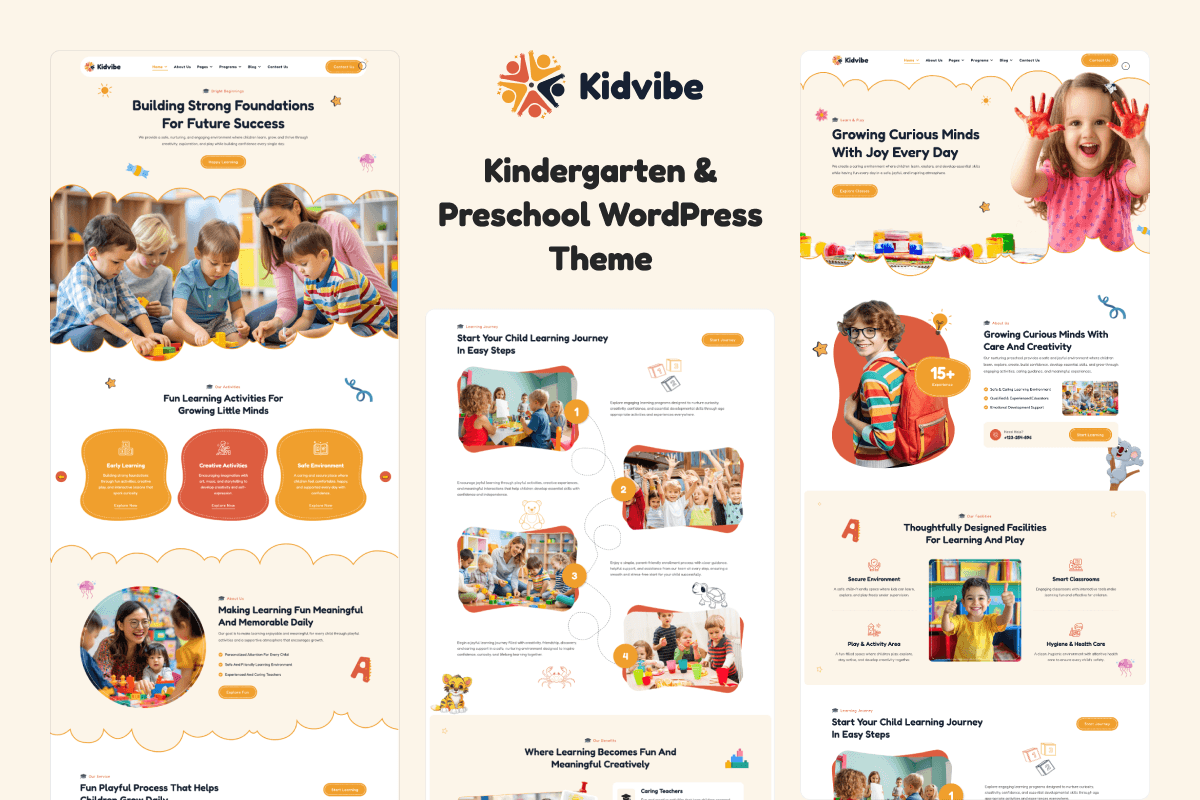
Kidvibe is a premium kindergarten and preschool WordPress theme from PeacefulQode, designed specifically for early-education websites. Instead of adapting a generic business template to a childcare brand, Kidvibe starts from the needs of a school: a playful, welcoming look, sections for your programs and teachers, and a structure that guides parents toward getting in touch.
It’s a strong fit for:
- Kindergartens and preschools
- Daycare and childcare centers
- Nurseries and play schools
- Montessori and early-learning academies
- After-school programs and kids’ activity clubs
Why a Dedicated Preschool Theme Beats a Generic Template
- Launch faster. A theme built for your industry already has the right page structure, so you spend your time adding your own photos and content instead of designing from scratch.
- Look professional on a small budget. Most schools don’t have a design team. A premium theme gives you a polished, consistent site without custom-development costs.
- Stay in control. Built on WordPress, you can update your news, events, and admission details yourself — no developer needed for every small change.
- Be easy to find. WordPress is SEO-friendly by design, which helps families searching “preschool near me” discover your school.
- Grow over time. Start with a simple site, then add an events calendar, gallery, blog, or enquiry forms as your school grows.
The Pages Every Kindergarten Website Needs
Whichever theme you choose, make sure your site covers these essentials:
- Home — your welcome message, a snapshot of your programs, and a clear call to action.
- About Us — your story, philosophy, and values.
- Programs / Classes — each age group with schedules and learning goals.
- Our Teachers — photos and short bios, because parents want to know who cares for their child.
- Gallery — real photos of classrooms, play areas, and activities.
- Admissions — how to apply, fees information, and key dates.
- Blog / News — events, parenting tips, and school updates.
- Contact — a simple form, phone number, address, and map.
5 Tips to Turn Your Preschool Website Into an Admissions Machine
- Put the enquiry button everywhere. Header, homepage, program pages, and footer. Never make a parent hunt for how to reach you.
- Use real photos. Genuine pictures of your classrooms and staff build far more trust than stock images (always with parental consent for photos of children).
- Show social proof. A few short parent testimonials near your enquiry form can noticeably lift conversions.
- Publish helpful content. Posts like “How to Prepare Your Child for Their First Day” attract parents searching Google long before they pick a school.
- Keep it fast and mobile-friendly. Compress images and choose a lightweight theme so your site loads quickly on any phone.
How to Get Started With Kidvibe
- Get the Kidvibe theme from PeacefulQode.
- Install and activate it on your WordPress site.
- Import the demo content so you can see the layout filled in.
- Replace the demo text and images with your own school’s story, programs, and photos.
- Connect your enquiry form, publish, and start sharing your site with parents.
Need Help Building Your School Website?
If you’d rather not set it all up yourself, our team can install and customize Kidvibe for your school, or build a fully custom website around your brand — including SEO setup so local parents can find you.